
All your Claude Code sessions, in one window.
Run several sessions at once and always know which one needs you, which one is working and what each one did. With the Claude Code you already have, on Mac and Windows.
brew install --cask estruyf/tap/switchboardFor Macs with Apple Silicon, macOS 13 or later.For Windows 10 and 11, on x64 and Arm64 PCs. Free and open source. Needs Claude Code, signed in.

Your own Claude Code
It runs the claude you already use, with your login, settings, commands and skills. Nothing new to sign in to.
Stays on your computer
Your prompts and sessions only go where Claude Code sends them. Remote runs only when you turn it on, encrypted from your phone to your computer.
Free and open source
MIT licensed and built in the open on GitHub. Signed builds for Mac and Windows that update themselves.
Stay on top
See which session needs you
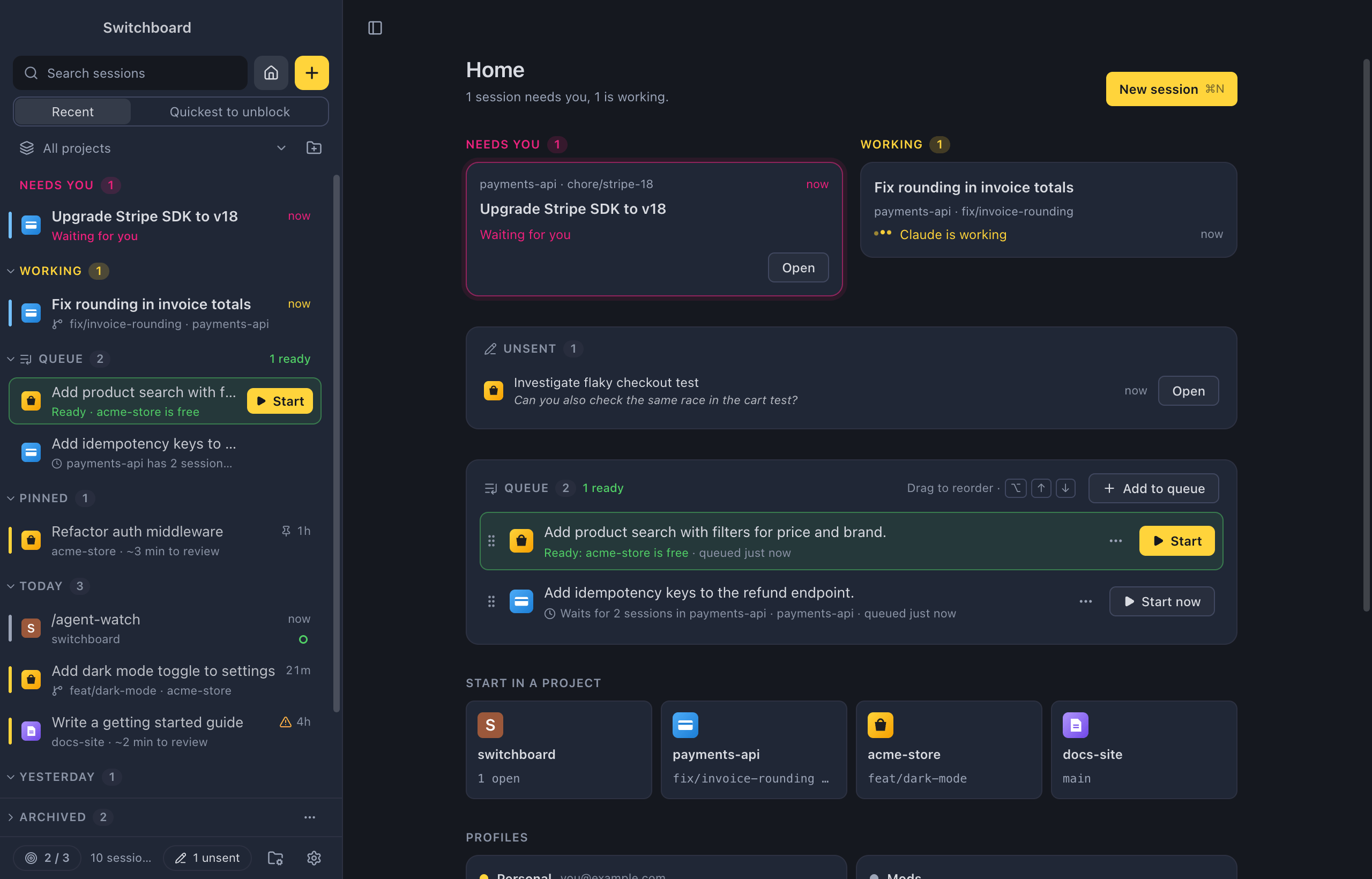
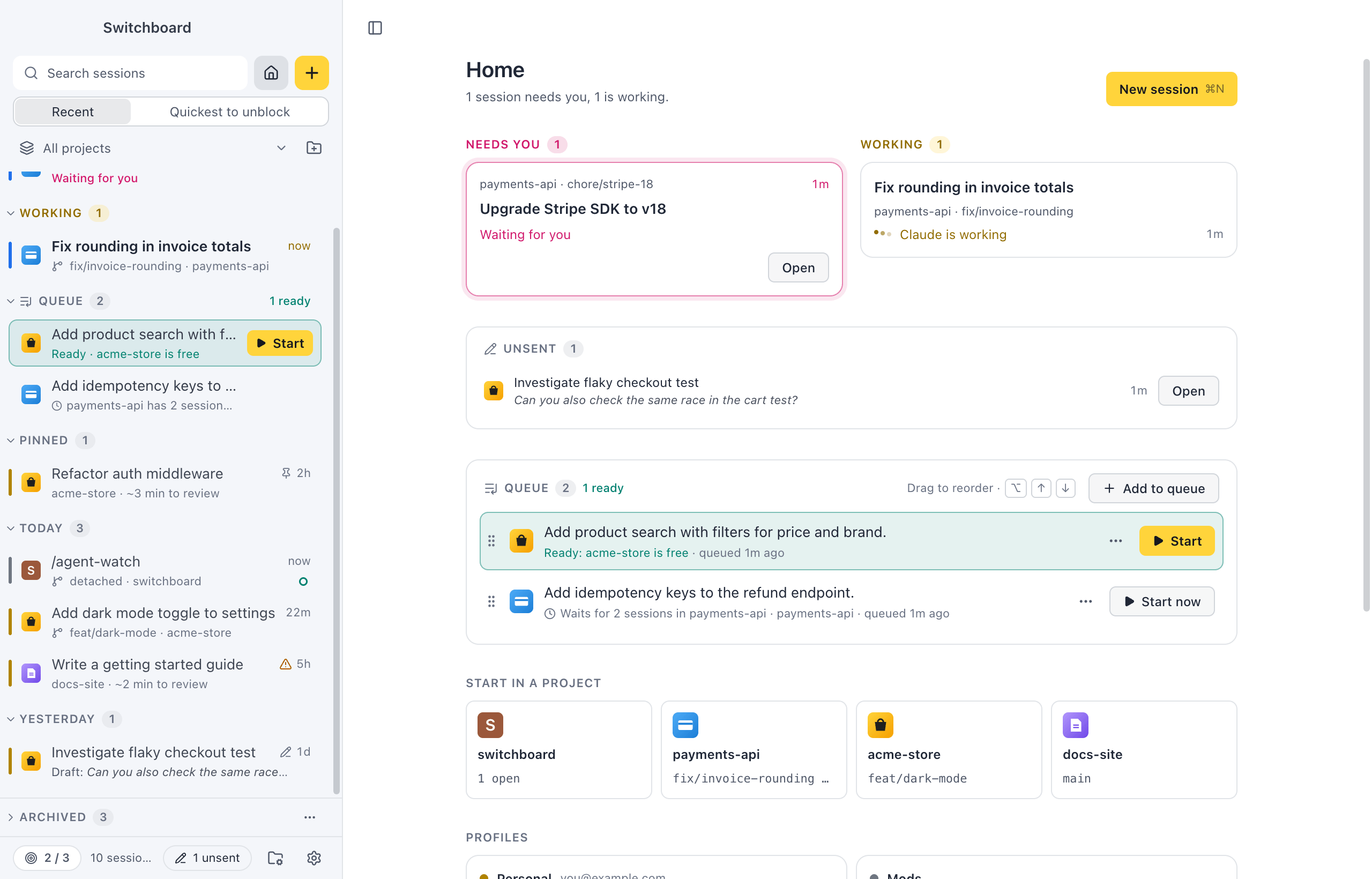
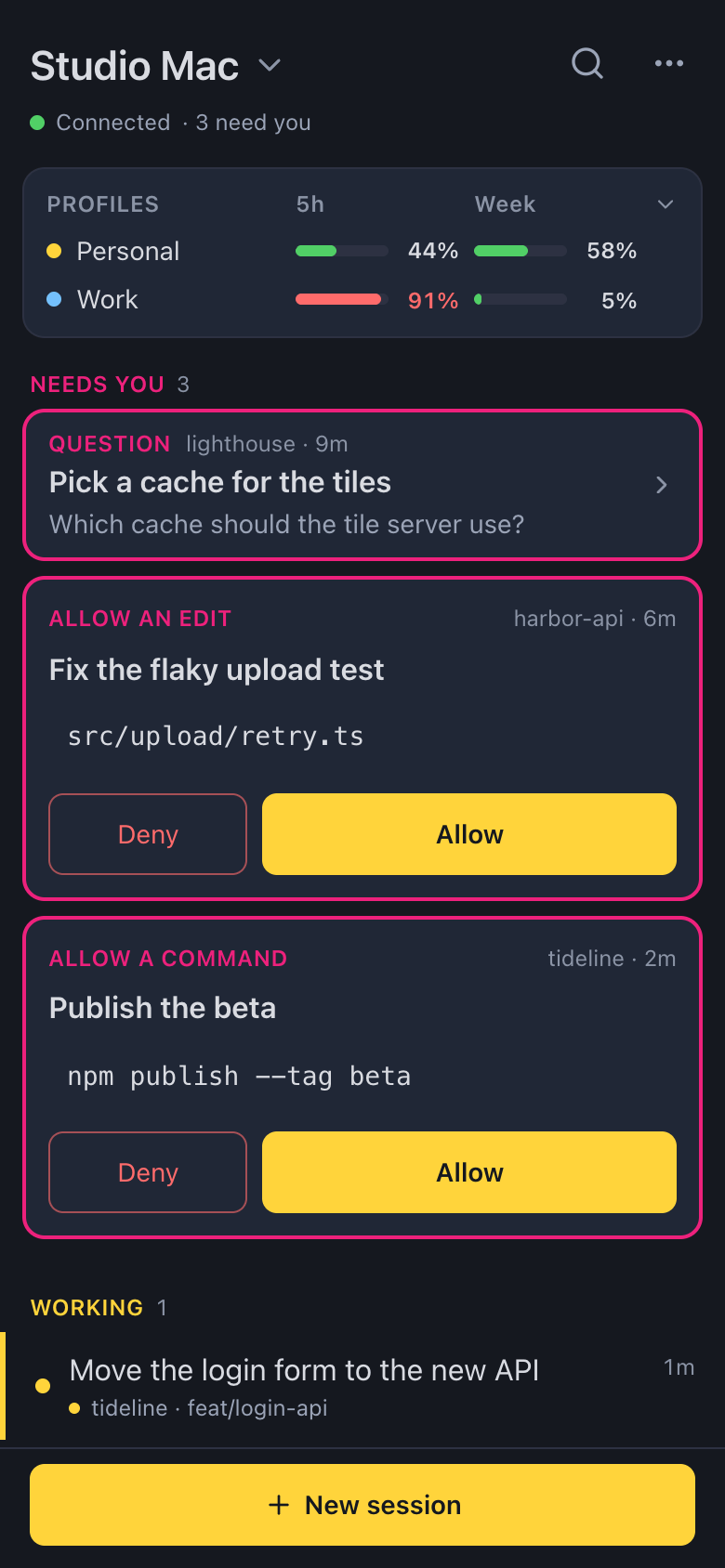
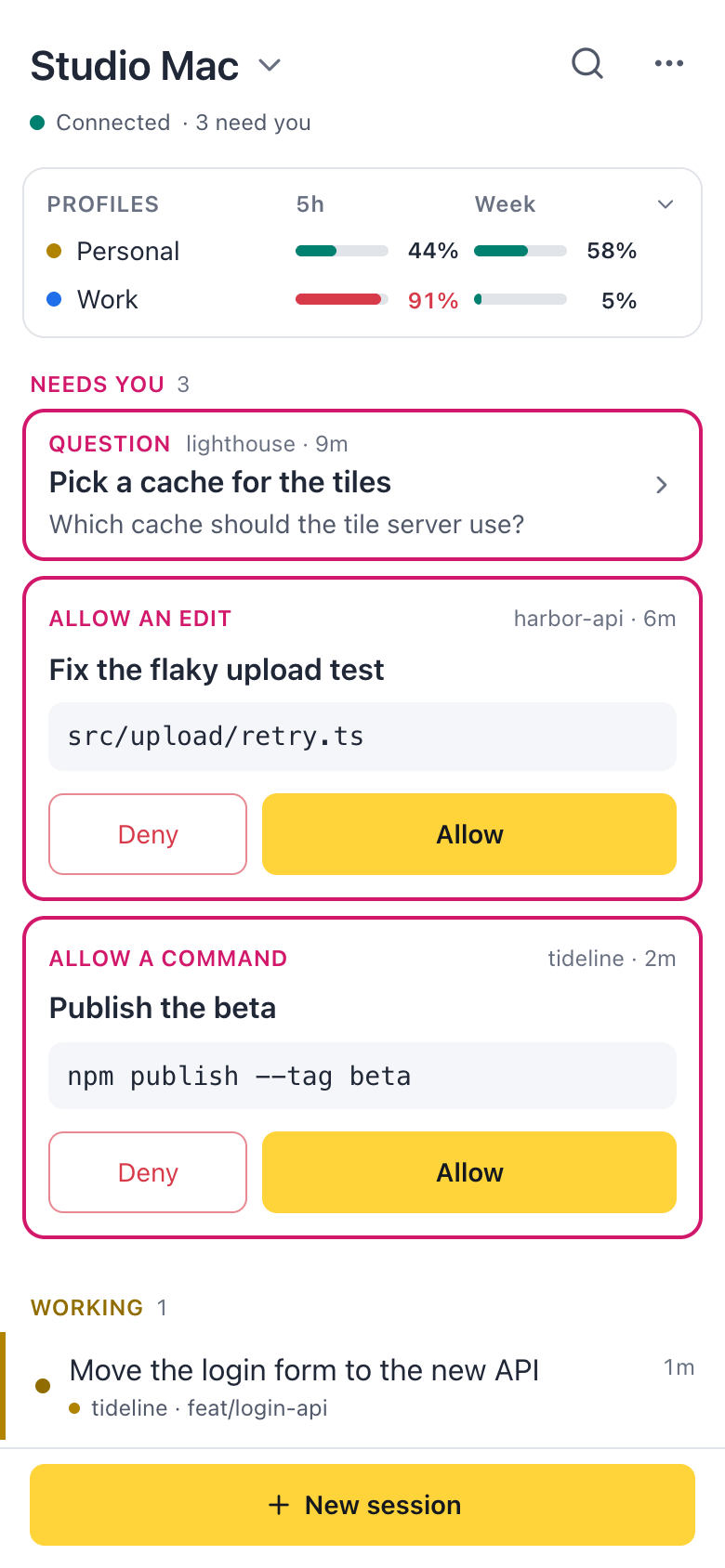
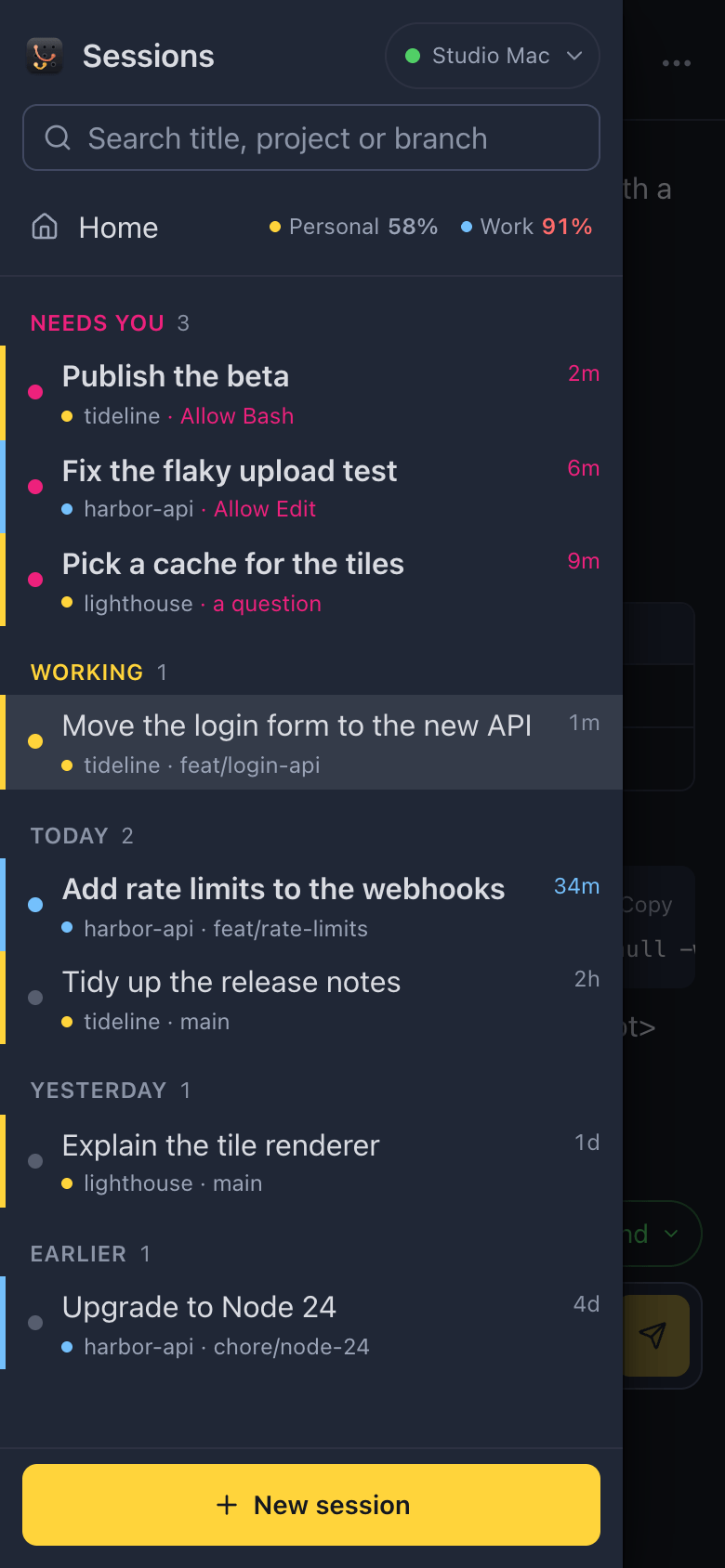
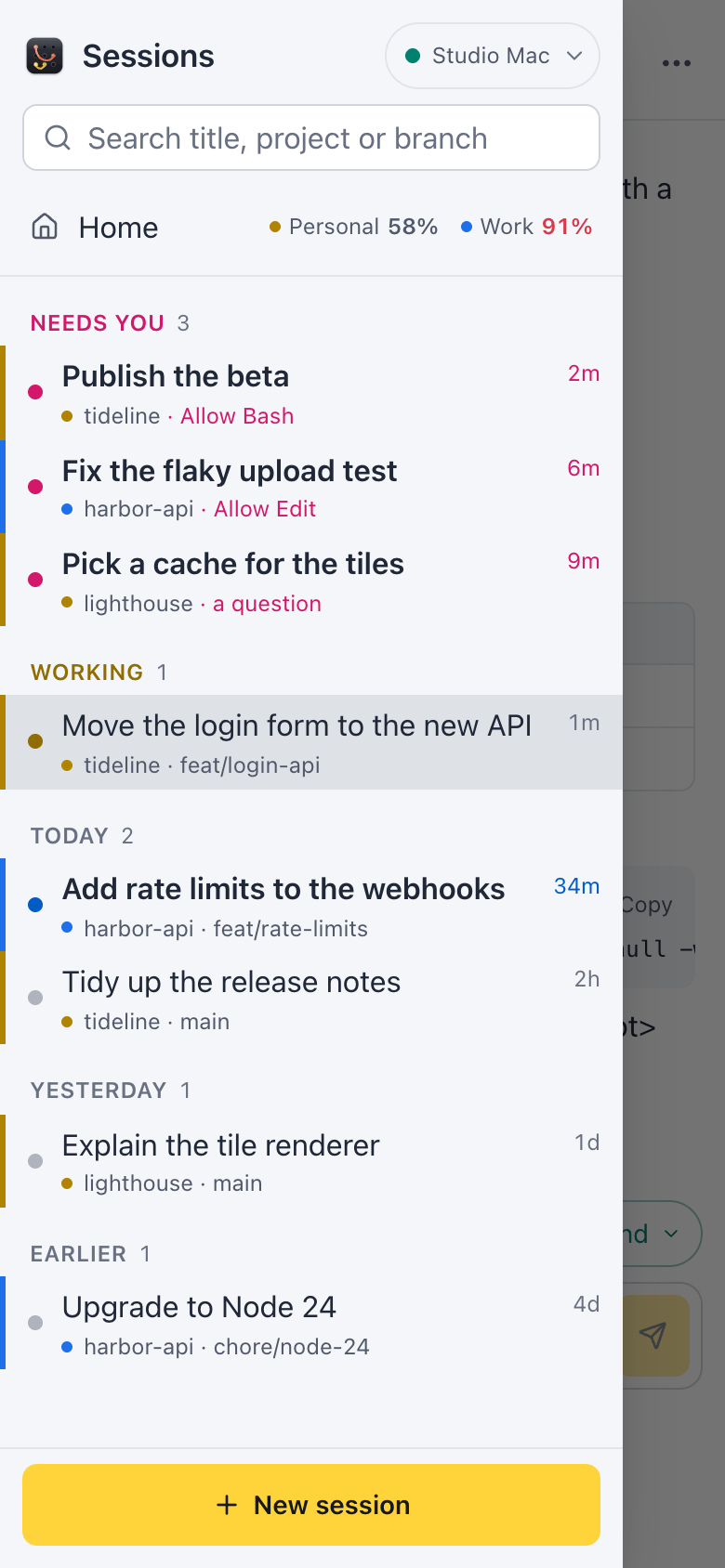
Every session sits in one list, across every project and every Claude account: the ones you start here and the ones in your terminal. Sessions that Needs you go to the top, then the ones that are Working, then the rest by day.
A notification tells you when Claude asks or finishes, so you can look away. Command, Shift, UControl, Shift, U jumps to the next session that needs you, from anywhere.
Review
Catch up in seconds
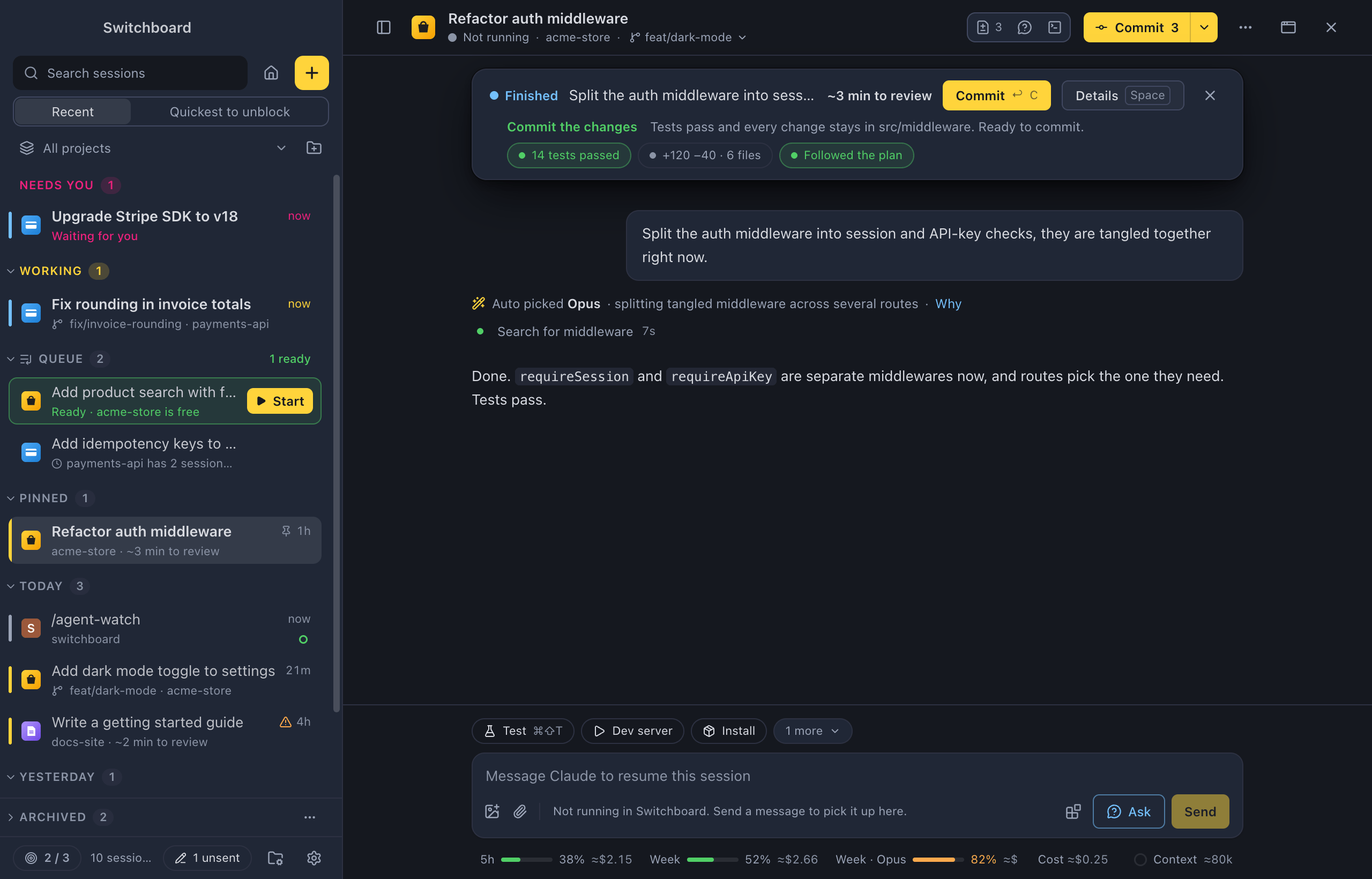
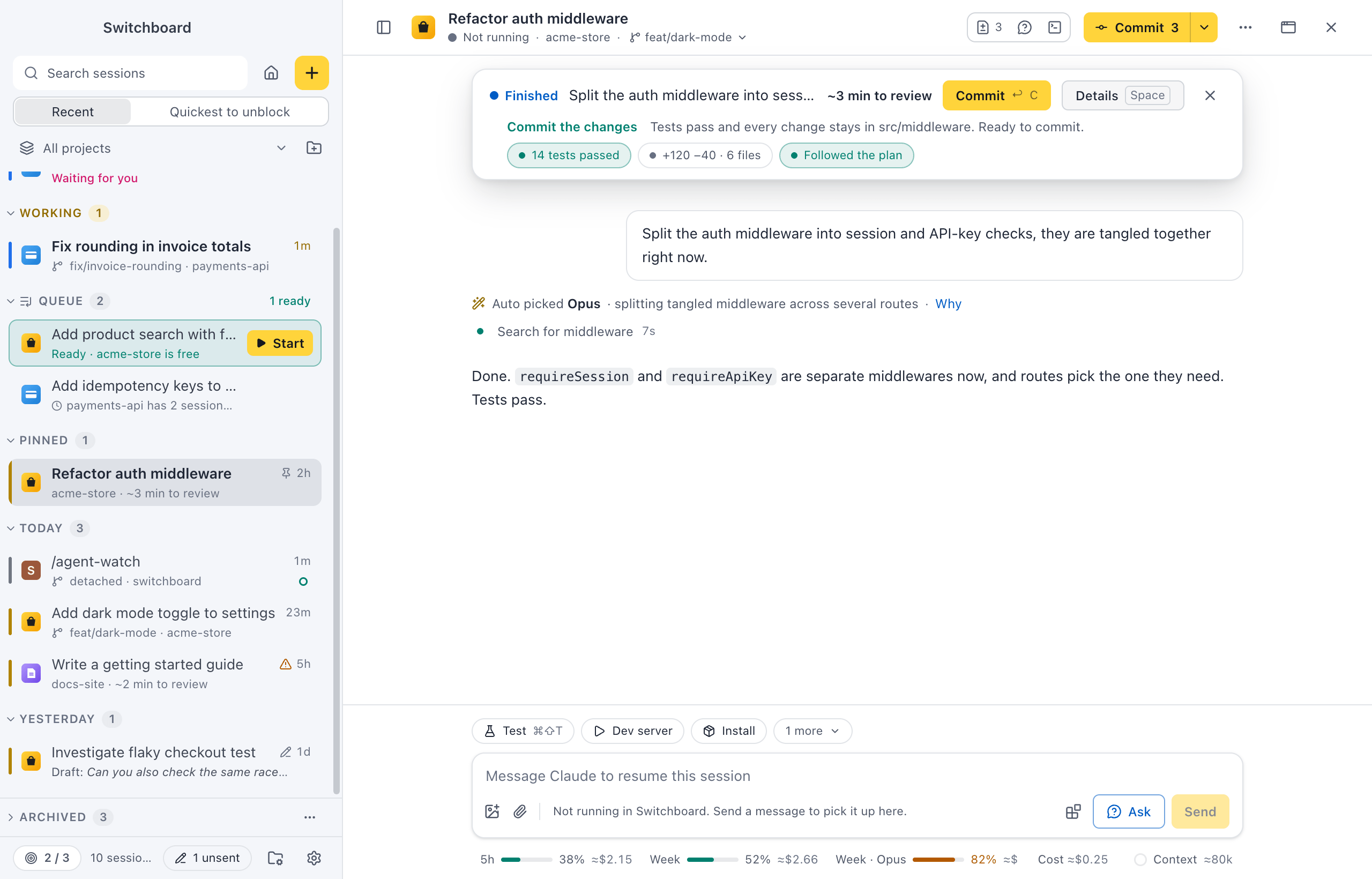
When a session finishes, a short briefing says what Claude did, what it skipped, and the one thing it needs from you. It shows whether the tests passed, how much changed, and whether Claude stayed inside what you asked for.
Want to know more? Ask about this session in a panel next to it, while it keeps working. Nothing is added to the conversation.
In parallel
Many tasks at once, without the mess
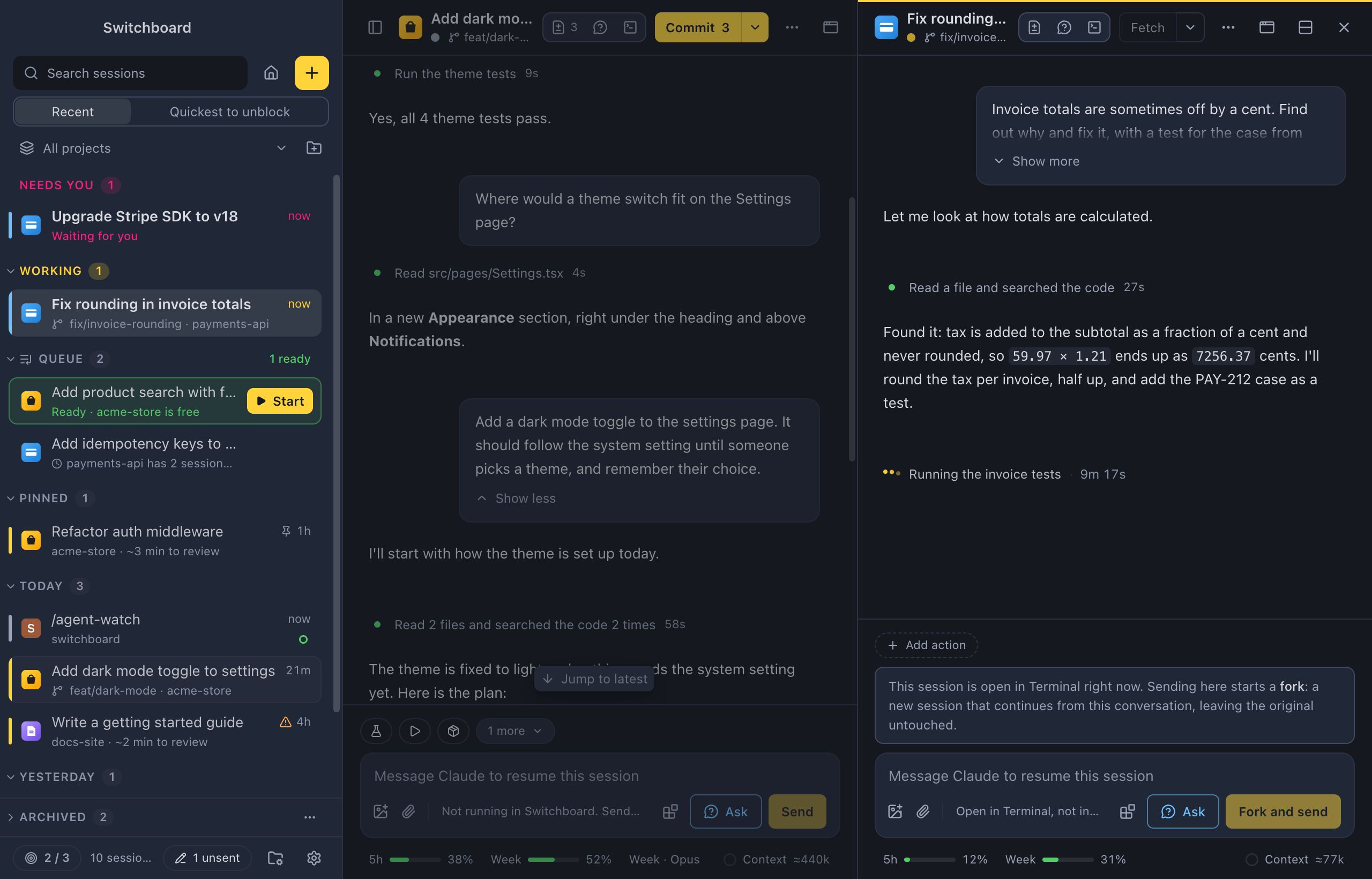
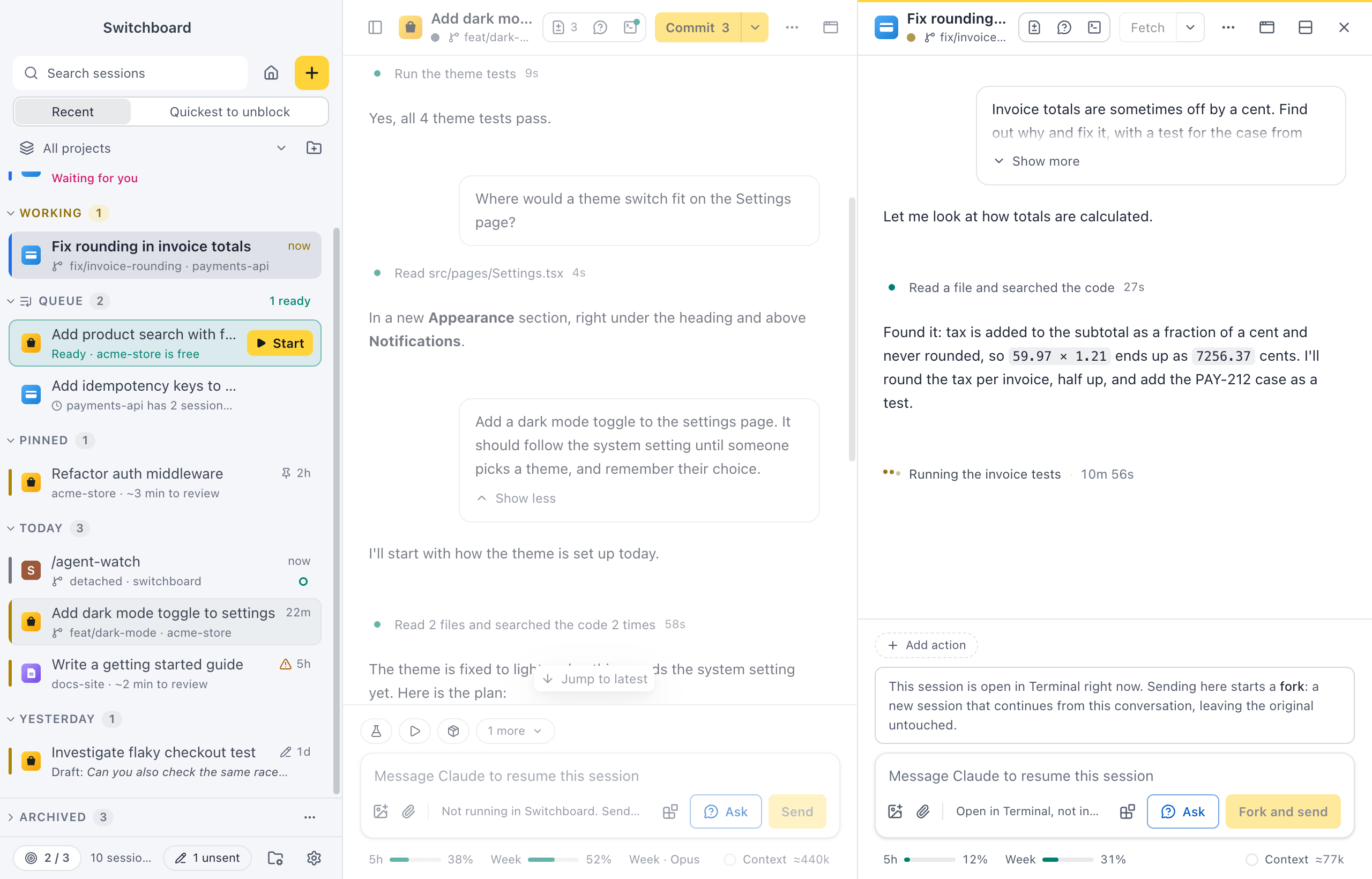
Start each task in its own worktree, on its own branch, so sessions never step on each other. Queue the prompts that have to wait, and start them with one click when their project is free.
Watch two sessions side by side, or give one its own window on another screen. Set a focus limit, and Switchboard asks before you start one more.
Ship
From changed files to a pull request
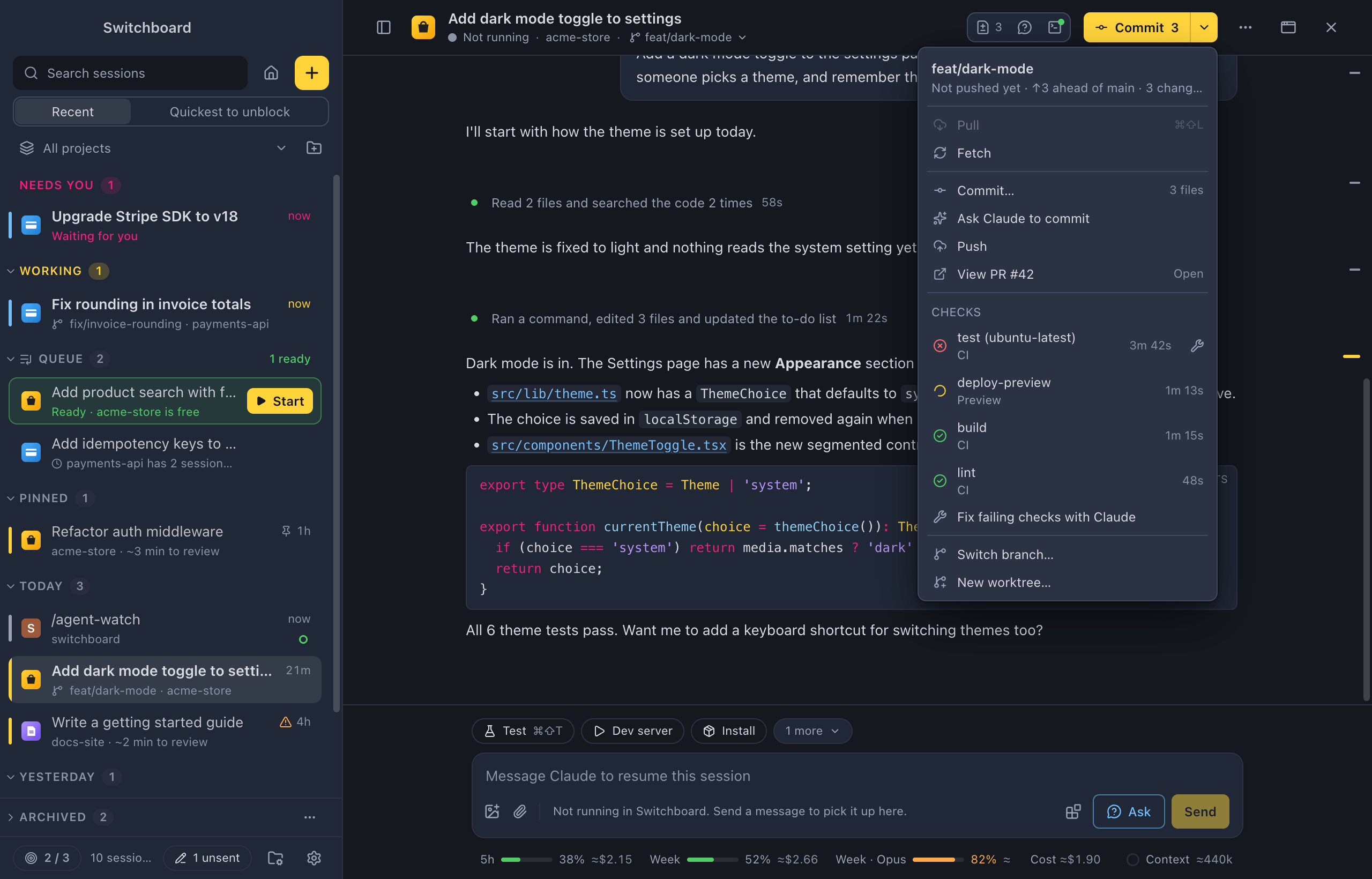
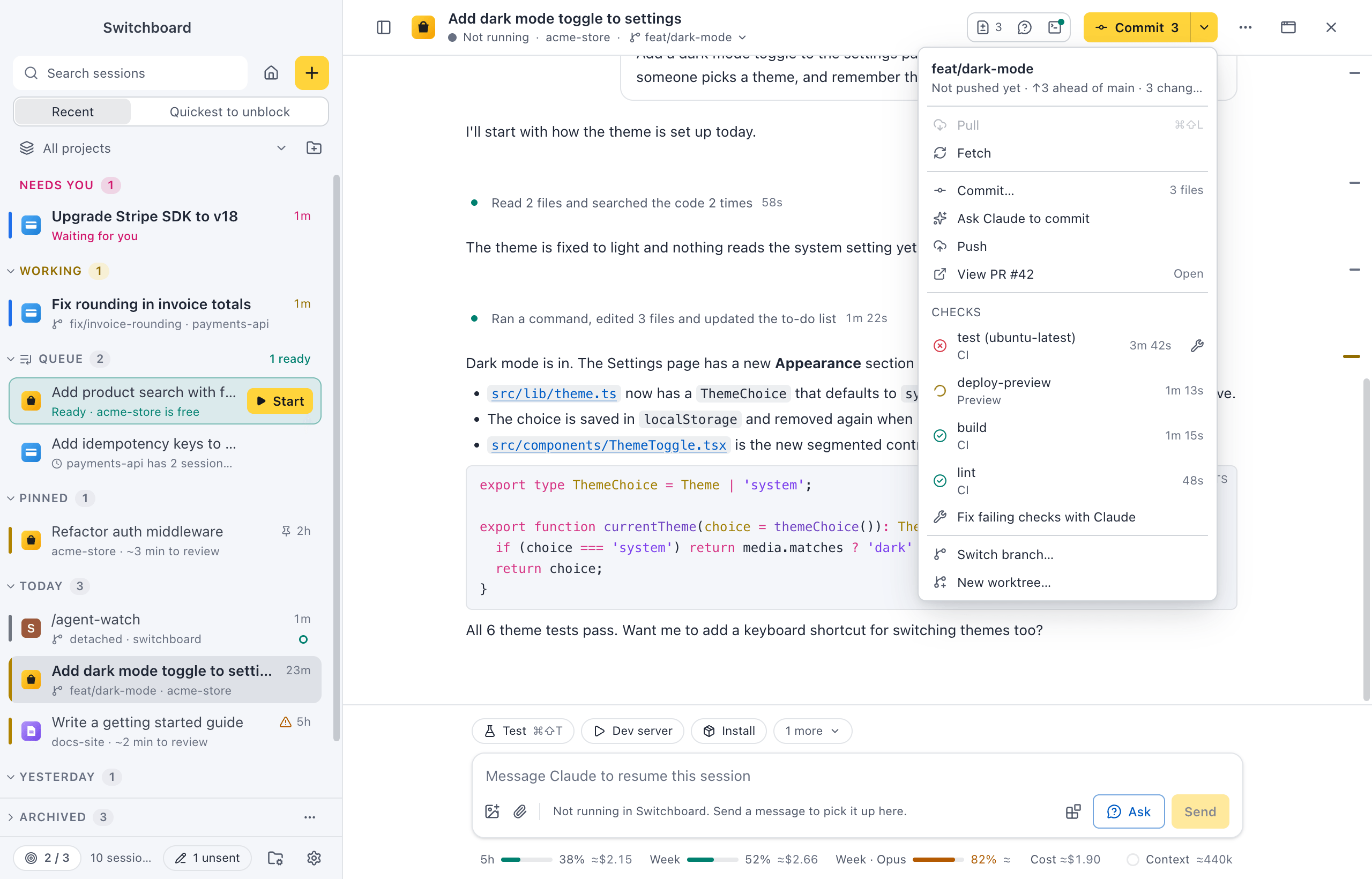
See what Claude changed in the Changes panel (Command, Shift, DControl, Shift, D): stage, unstage or revert files, and open any diff inline. The git button offers the next step: commit, push or create a pull request.
Once the pull request is open, its checks show on the same button. When one fails, let Claude fix it. A terminal per session is one key away (Command, JControl, J).
Anywhere
Answer Claude from your phone
Turn on Remote and pair your phone. Follow your sessions, allow what Claude asks, send the next prompt or start a new session, wherever you are. Your phone gets a notification when a session needs you.
Have a laptop and a desktop? Their sessions show in the same sidebar, and New session can start one on the other computer.
Accounts
Every Claude account, and what it used
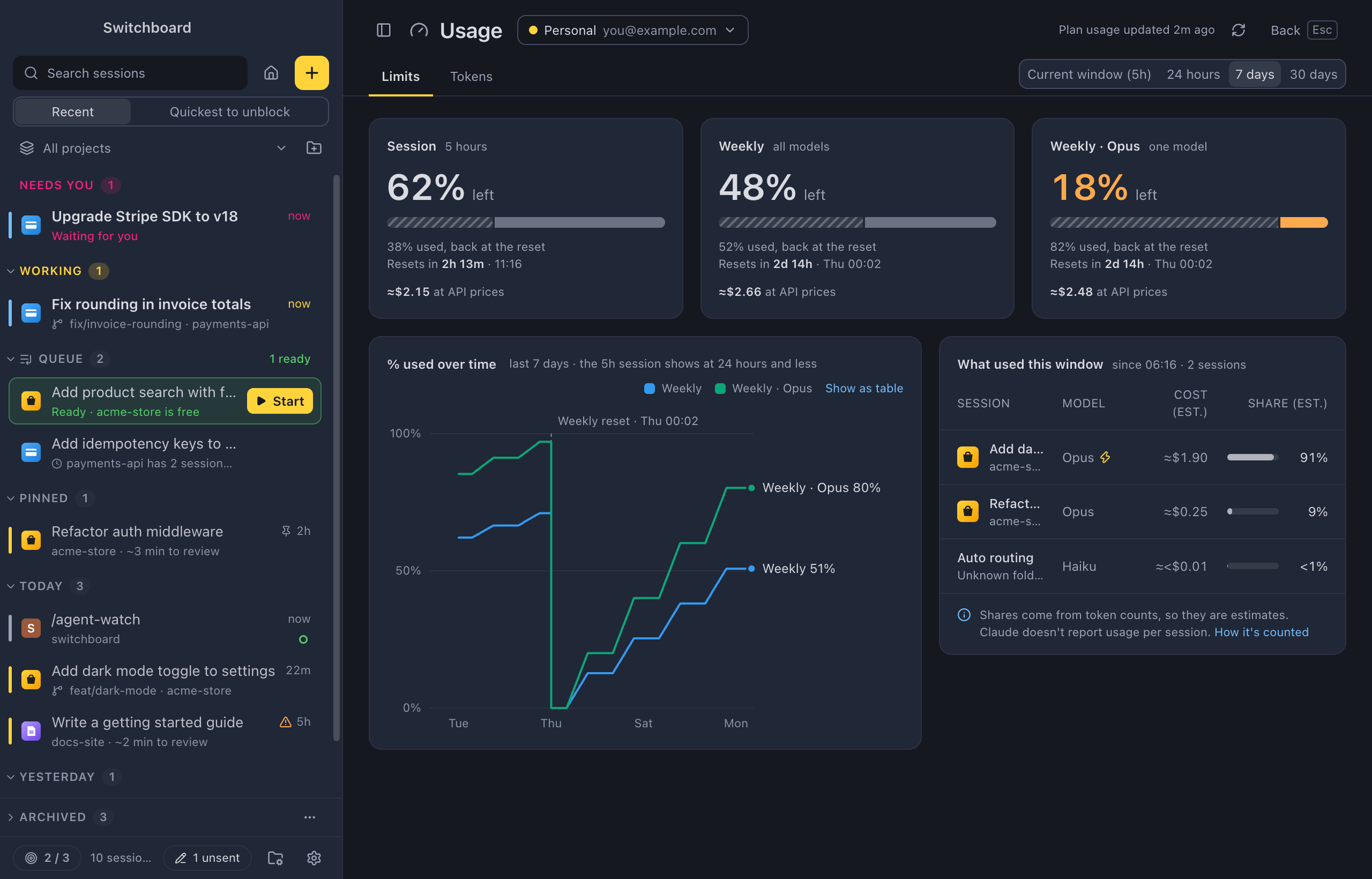
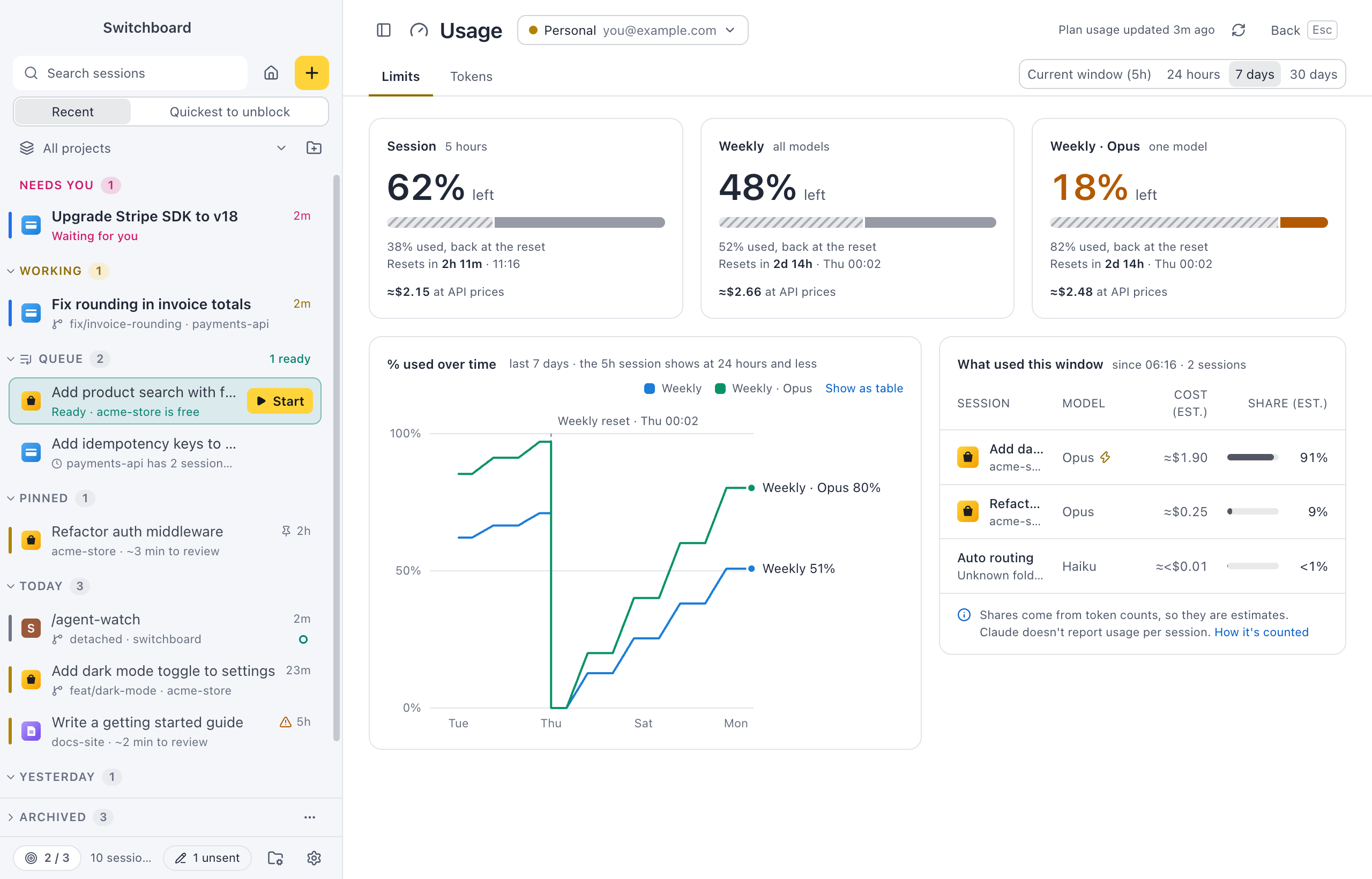
Add a profile for each Claude account, such as a personal plan and a work one. Each session’s rail shows which account it uses, and a project can always start on its own.
See what is left of your 5-hour and weekly limits, when they come back, and which sessions, projects and models used them, with what that would cost at API prices.
Memory
What Claude remembers, in plain Markdown
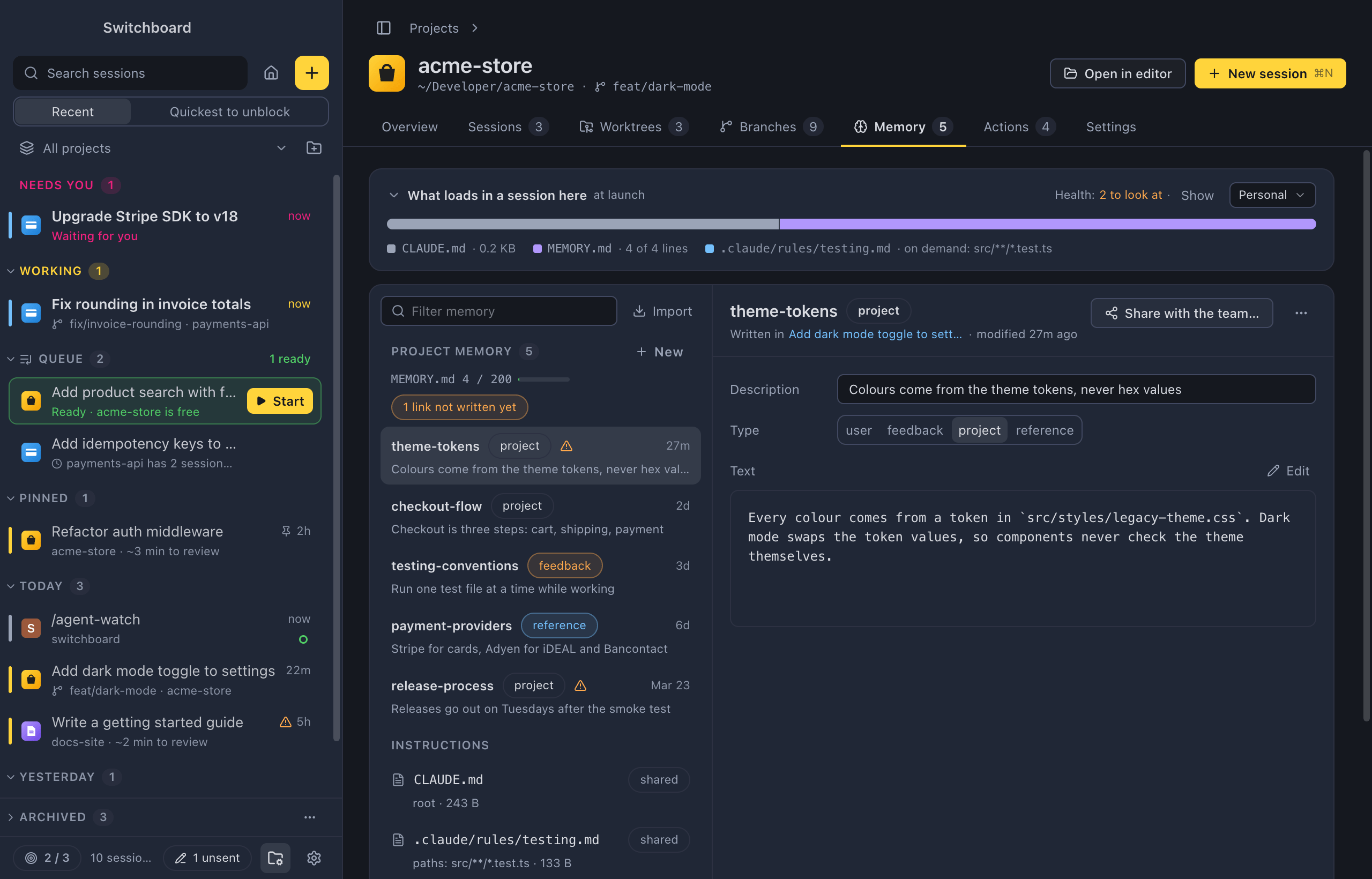
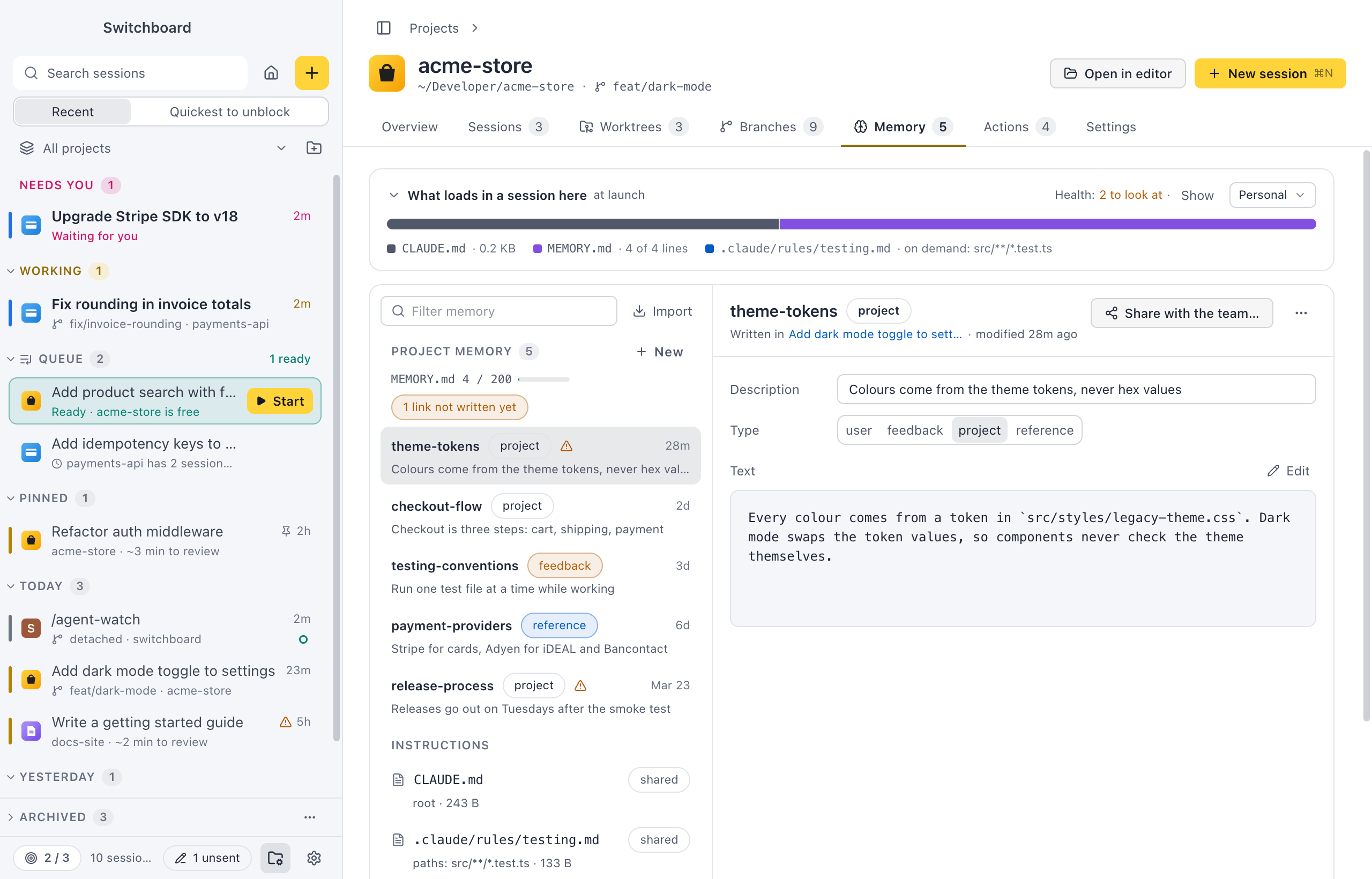
See and edit what Claude Code remembers about each project, and what loads at the start of every session. Share a memory with the team in CLAUDE.md, or bring your memory over from the Claude app.
Everything stays plain Markdown where Claude Code already looks, so it works the same in the terminal.
Made for the keyboard
Every main action has a shortcut, and the command palette has the rest.
- Command, KControl, KRun any command
- Command, PControl, PGo to a session or project
- Command, NControl, NStart a new session
- Command, Shift, UControl, Shift, UNext session that needs you
- Command, Shift, FControl, Shift, FSearch every conversation
- Command, Shift, NControl, Shift, NAsk a quick question
Watch the one-minute tour
And a lot more
Small things that save you time every day. Each card opens its page.
- Saved promptsNewSave a prompt with blanks, pick it with / or in New session, fill in the blanks and send.
- Quick questionsAsk Claude something without picking a project, in a scratch folder of Switchboard's own.
- Unsent messagesWhat you type and don't send is kept, also after you quit, and easy to find again.
- LinksOpen Switchboard from a switchboard:// link, to start a session with a prompt or jump to an existing one.
- Clone from GitHubNewStart a project from a GitHub URL. Switchboard clones it into a folder you set, adds it as a project and runs your first prompt there.
- CommandsNewSee the commands Claude runs in the background in a panel next to the conversation, with their command line, how they ended and their output.
- Claude Code modsNewPlugins that add UI to your sessions. Switchboard draws their bands, panes, statuses and toasts, each with the mod's name.
- SearchSearch every conversation, or find words in the one you are reading.
- Built-in themesPick light or dark mode and one of the themes that come with Switchboard.
- Back up and move your settingsExport your Switchboard setup to a file and import it on another computer or after a reset.
- Permissions and questionsApprove or deny what Claude wants to do, answer its questions and review its plans, right in the conversation.
- Auto modelLet Haiku read the first prompt of a new session and pick Haiku, Sonnet or Opus for it. Picked once, shown in the session, easy to undo.
The VS Code companion
The Switchboard Companion extension sends what you are looking at in the editor to a session: the lines you selected, files, problems and terminal output. It also works in Cursor and Windsurf. Nothing goes to Claude until you press send.
eliostruyf.switchboard-companion
Try it on the sessions you already have
Switchboard picks up your existing Claude Code sessions the moment it opens. Nothing to set up first.
brew install --cask estruyf/tap/switchboard